Slot Grind Demo vs Full Game
Compare the free demo and paid release — what you learn, where progress stops, and when the $4.49 purchase makes sense.
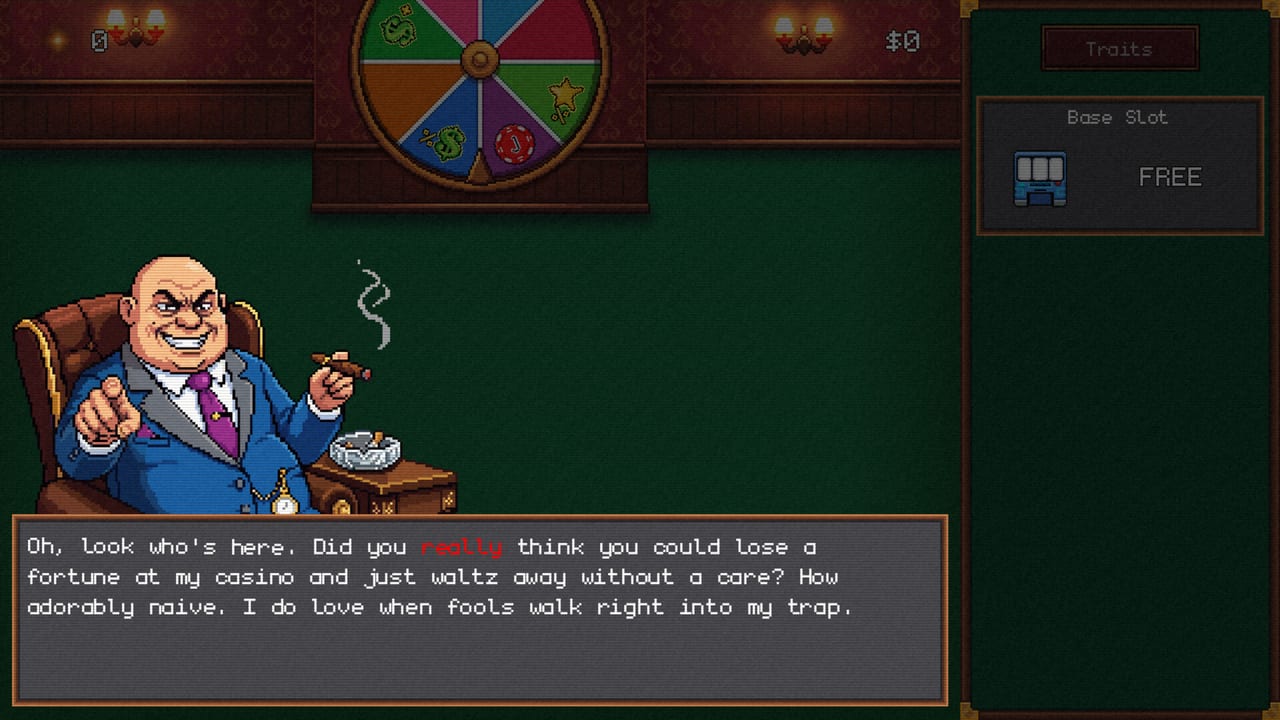
Slot Grind ships with two Steam listings: a free demo (AppID 4657460) and the full game (AppID 4619420, released August 4, 2026). OneMoreSystem designed the demo to teach the spin → upgrade → automate loop without spoiling the complete debt ladder, specialty machine roster, or all twenty-six achievements. This guide compares what each version includes, what the demo teaches well, and when upgrading to the paid build is worth the roughly $4.49 base price (with a 10% introductory discount to about $4.04 through August 11, 2026).
During the pre-release demo period, Steam discussions included threads about demo versus full-game timing and whether saves would carry over. At launch, both builds share core mechanics; the paid release adds campaign depth, late machines, and achievement hunting beyond the demo cap.
What the Demo Includes
The demo mirrors the opening campaign beat-for-beat for mechanics that matter early:
- Manual and early automated spinning on your first machines.
- Baseline shop upgrades — speed, payout, and the first automation modules.
- Opening skill-tree nodes shared with the paid build.
- Tutorial flow through second and third machine purchases.
If you can spin, buy, and automate in the demo, you already understand eighty percent of Slot Grind’s interface. Pair demo play with How to Play Slot Grind and Early Game Walkthrough for a structured first session.
The embedded video above shows a full demo completion path — useful if you want to see how far free progress reaches before the paywall tone shifts.
Where Demo Progress Stops
The demo intentionally gates content that defines the full campaign:
- Complete debt sequence and story closure.
- Late specialty slots — Fortune Wheel room expansion, Synergy activation, All-In content.
- Capstone machines and billion-scale income gates.
- Several Steam achievements tied to full-game-only milestones (Achievements List marks demo versus paid gates).
Demo saves do not replace the paid campaign — purchasing the full game unlocks the remaining arc on the same Steam account. Expect a continuation rather than a separate sequel mode.
What the Demo Teaches (Buy Signals)
Treat the demo as a purchase audition. Three signals suggest the full game will land well:
- Second-machine hook — If doubling the floor felt satisfying within ten minutes, the mid-game automation pivot will likely click.
- Upgrade clarity — When you naturally check the skill tree after each shop buy, the planning layer will engage you in the paid build.
- Debt curiosity — Demo players who wonder “what happens when the ledger gets serious” are the target audience for How to Pay Off Debts.
If manual clicking felt tedious before the second machine and automation never excited you, the full campaign probably will not rescue the experience — read Pros and Cons before buying.
Full Game Exclusives Worth the Price
The paid release adds systems the demo only teases:
| Feature | Demo | Full game |
|---|---|---|
| Debt ladder | Partial / capped | Complete campaign arc |
| Specialty machines | Early tiers only | Multiply, Power, Fruit, Synergy, All-In |
| Achievements | Subset | All 26 Steam trophies |
| Endgame income | Capped | Billion gates, Forbes-list goals |
| Skill capstones | Limited nodes | Full tree including Late Game Skill Tree |
At impulse pricing with the launch discount, the delta is less about hour-count and more about closure — debts paid, credits rolled, optional trophy mop.
When to Buy the Full Game
Buy immediately after demo if:
- You finished demo content wanting more machines and debts.
- Automation felt like the “real game” and you want the full floor.
- You plan a single evening clear plus achievement pass (100% Completion Guide).
Wait or skip if:
- Demo pacing already felt too slow before automation unlocked.
- You need tens of hours per title — Slot Grind’s main arc runs one to three hours (Slot Grind Review).
- You only wanted to confirm the game runs on your hardware — demo already validates specs.
Verify current pricing on the Steam store page before checkout; intro offers expire.
Demo vs Full: Common Questions from Steam
Pre-launch threads asked whether demo progress delays full-game access or whether saves transfer. At release:
- Same client family — Updates to spinning and upgrades typically apply to both AppIDs.
- Campaign extension is paid-only — Demo does not contain hidden full-game content behind a timer.
- No separate “full game delay” at launch — August 4 release unlocked the complete debt arc for purchasers.
If you hit technical issues in either build, see Troubleshooting Slot Grind for player-reported GPU and upgrade bugs — check Steam for official patches.
Recommended Path: Demo → Full → Completion
- Play demo until automation unlocks or progress caps.
- Read Beginner Tips if you stalled on upgrades.
- Purchase full game during intro discount if hooked.
- Continue with Mid-Game Walkthrough — strategies transfer directly.
- Track launch notes on Updates Hub for post-release fixes.
Return to Guides Hub for system deep dives, or Wiki Home for the full index.
Frequently Asked Questions
Quick answers for Slot Grind players.
What is the Slot Grind demo Steam AppID?
The free demo is Steam AppID 4657460. The full game is AppID 4619420, released August 4, 2026.
Does Slot Grind demo progress carry to the full game?
Demo teaches mechanics on the same account, but campaign content beyond the demo cap requires purchasing the full release. Expect continuation, not a separate mode.
Should I finish the demo before buying Slot Grind?
Yes if you are unsure about pacing. Buy when the second machine and automation hook you — the full game adds debts, specialty slots, and all achievements.
Is the demo enough to judge the full campaign?
It covers opening loop and early automation well. Debt pacing, late machines, and gamble content appear only in the paid build.
Are demo and full game updated together?
Core fixes typically apply to both AppIDs. Campaign-extending content and late achievements are full-game only.