Slot Grind Tools
Plan upgrades, track completion, and shave minutes off a short campaign — interactive helpers for the casino floor.
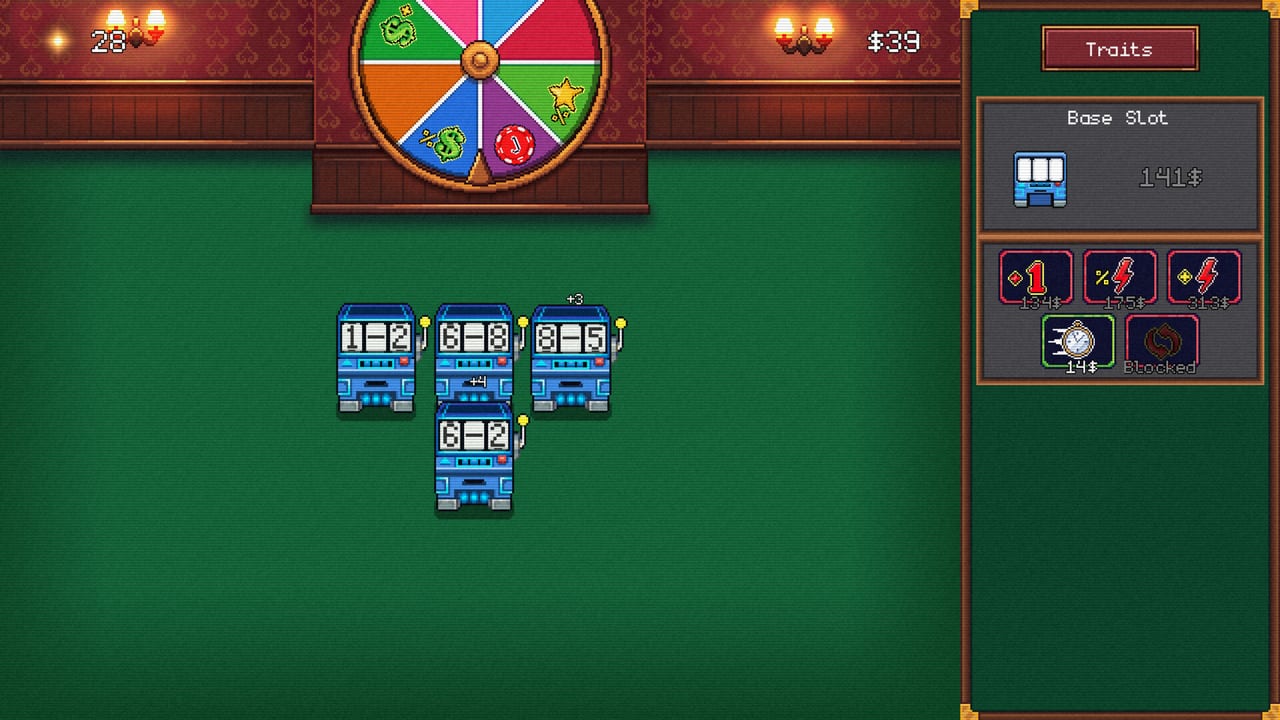
Welcome to the Slot Grind Tools Hub, the interactive corner of this wiki for OneMoreSystem’s Steam incremental (AppID 4619420, released August 4, 2026). Written guides explain what to buy; tools here help you calculate payback, compare two purchases side by side, and track what remains in a one-to-three-hour session without alt-tabbing to spreadsheets.
Slot Grind’s exponential income curve makes timing matter. A speed upgrade that pays back in forty seconds at mid-game might take four minutes if bought too early. These tools mirror the same phase logic as our Tier List Hub and Machine Upgrade Priority pages, but let you plug in your current machine count and cash on hand.
Tools in This Section
- Upgrade Planner — Interactive ROI calculator for speed, payout, automation, and new machine purchases. Models payback windows so you pick S-tier buys from Upgrade Order Tier List with confidence.
- Playtime Checklist — Session tracker for campaign milestones, debt payments, automation coverage, and leftover Steam achievements. Ideal for a second pass after Debt Payoff Walkthrough.
Both tools run in your browser on this wiki — no login, no external accounts. They reflect the August 2026 launch build; check Updates Hub if OneMoreSystem patches machine costs.
When to Use Which Tool
| Situation | Tool |
|---|---|
| Two upgrades cost nearly the same | Upgrade Planner |
| Unsure whether automation beats a new slot | Upgrade Planner + Automation Unlocks |
| First clear — avoid missing debts | Playtime Checklist during Early Game Walkthrough |
| Post-credits achievement hunt | Playtime Checklist + Hard Achievements |
| Validating tier list picks | Planner output vs Machines Tier List |
How Tools Fit the Wiki
Tools do not replace guides — they compress decision time:
- Start with How to Play Slot Grind for loop vocabulary.
- Use the planner when Mid-Game Walkthrough mentions payback stalls.
- Cross-check skill nodes on Skill Tree Overview when planner gates show automation locked.
- Read Slot Grind Review if tools reveal long waits — that mirrors Steam criticism of late exponential gaps.
Demo players (AppID 4657460) can use the Upgrade Planner for opening purchases; checklist achievement rows mark full-game-only entries.
Related Sections
- Guides Hub — Strategy context for planner inputs.
- Achievements Hub — Checklist achievement section links here.
- Wiki Home — Full site index.
Bookmark this hub if you plan multiple saves — speedrun attempts and True Min-Maxing runs benefit from repeatable planning.
Tool Design Philosophy
Wiki tools for Slot Grind follow three rules:
- No account friction — You should not create a login to plan a four-dollar incremental session.
- Phase-aware defaults — Opening, mid, and late campaign use different ROI curves; tools encode the same phase splits as Walkthrough Hub.
- Guide alignment — If planner output disagrees with a tier list entry, the tier list page is wrong and we fix it in Updates Hub — not the other way around.
That keeps interactive helpers trustworthy when OneMoreSystem adjusts machine costs in a post-launch patch.
Frequently Paired Pages
Players who open Tools often need these guides in the same tab group:
- How to Unlock Machines — Planner “new machine” rows assume you know unlock gates.
- Early Perks — Skill points sometimes beat shop buys; planner shows cash-only ROI.
- Debt Payoff Walkthrough — Checklist debt rows mirror that route’s payment order.
- Hard Achievements — Post-credits checklist and planner payout stacks for Forbes hunting.
Steam Demo Reminder
Demo AppID 4657460 includes enough machines to validate Upgrade Planner opening math. Playtime Checklist hides or labels full-game rows so demo users do not chase achievements that require AppID 4619420. After upgrading, export mental notes — the checklist does not migrate demo browser storage to a new purchase automatically.
Frequently Asked Questions
Quick answers for Slot Grind players.
Do Slot Grind tools require a Steam login?
No. Upgrade Planner and Playtime Checklist run entirely on this wiki in your browser with no account linking.
Which tool should I use first?
Use Upgrade Planner when choosing between shop purchases. Use Playtime Checklist on a fresh save or achievement cleanup run.
Do tools work with the demo?
Upgrade planning applies to demo machines and costs. Checklist rows for late achievements and specialty slots note full-game requirements.
Will tools update after patches?
We adjust defaults when OneMoreSystem changes costs or unlock order. Watch the Updates hub for balance notes.